.png?width=300&height=100&name=emma%20logo%20santa%20hat%20(4).png)
It can be used to view both consignments created in Emma and connections to external consignments reported by other parties.
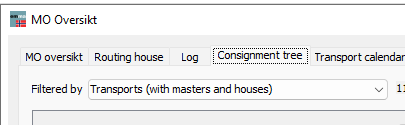
View connections to a Transport
Select and expand a Transport to view the Master and House Consignments connected to it.
This makes it easy to see the complete structure and includes both consignments created in Emma and consignments submitted externally by other parties.
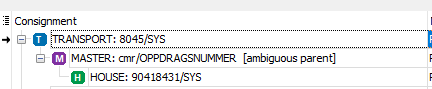
The On transport column shows how many Master and House Consignments are connected to the Transport and how many have a successful status.
For example, 2/2 H means that 2 House Consignments are connected to the Transport and both have a successful status.
The Coupling column shows the status of connections made from Emma.
Expand the Transport to view the individual Master and House Consignments.
External consignments are marked Yes in the External column. Only limited information about external consignments is available in Emma.
For an external House Consignment, CONFIRMED in the Customs column indicates that Norwegian Customs has confirmed the consignment as connected to the Transport.

View connections to an external Transport:
The Consignment tree can also show connections to consignments submitted by other parties.
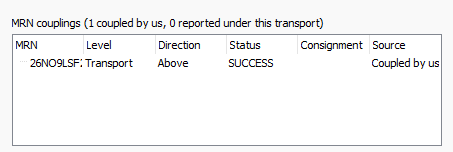
For example, if your House or Master Consignment has been connected to an external Transport using MRN, you can see the MRN connection and its current status.

This allows you to verify that your consignment is connected to the correct external Transport, even though the Transport itself was not submitted from your Emma system.

View message details and errors
Select a consignment to view more information in the panel on the right.
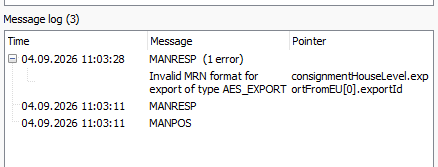
Here you can see details such as:
- Status and MRN
- Transport document information
- Declaration information
- MRN connections
- Message log and error messages
The Message log can be used to check the communication and identify errors if a message or connection has failed.
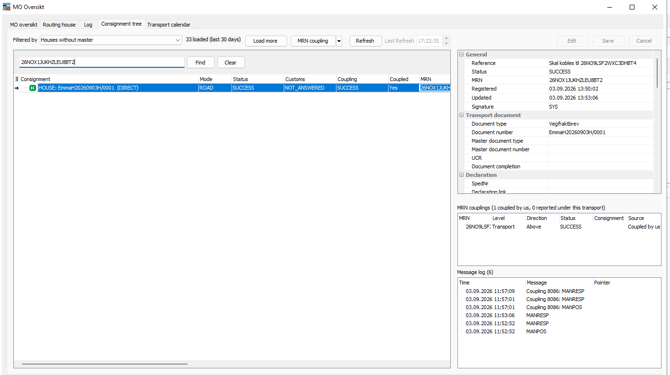
Customs status
The Customs column shows the status reported by Norwegian Customs for the consignment or its connection.
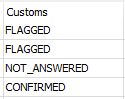
- COMPLETE / SUCCESS – The consignment has been received and successfully verified by Norwegian Customs.
- FLAGGED – Norwegian Customs has identified an issue or condition that requires attention. Check the message details for more information.
- NOT_RECEIVED – The referenced consignment or document has not been found or received by Norwegian Customs for the relevant connection.
- NOT_ANSWERED / blank – No status has been received from Norwegian Customs yet.
For external consignments connected to your Transport, CONFIRMED indicates that Norwegian Customs has confirmed the consignment as connected to the Transport.