.png?width=300&height=100&name=emma%20logo%20santa%20hat%20(4).png)
Open article register, quotas and documents by clicking Fortolling ➡️ Artikler/Kvoter/Dokumenter.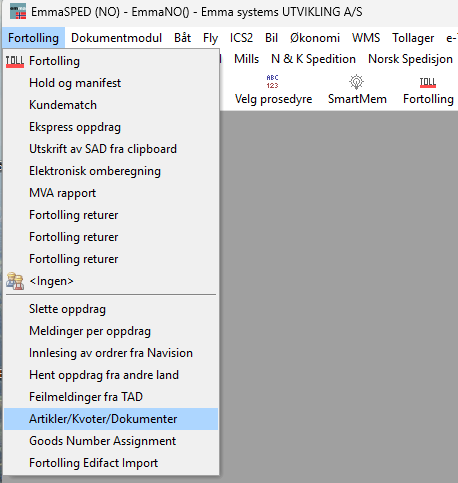
Choose “Kvoter / Skriv” and then click the green “+” button to add a new quota.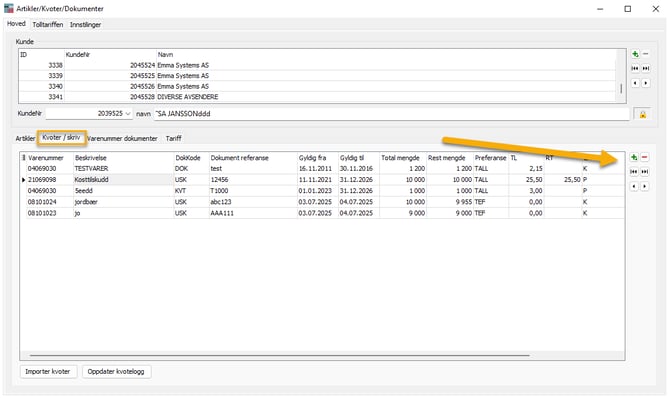
Fill out the fields below and press “Lagre”.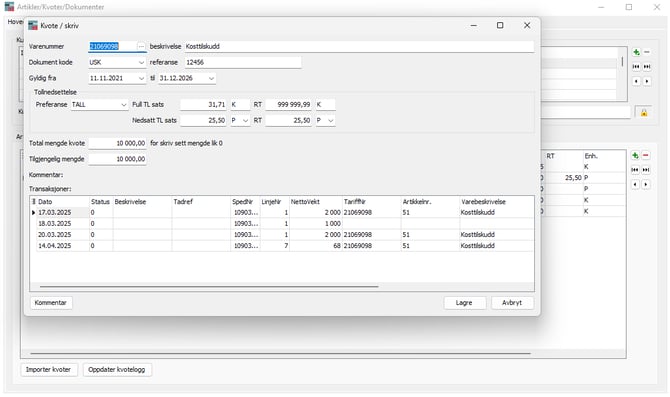
Now you should have access to your new quota. This simplifies the customs process.