-
Open the Customer Database and locate the customer you want to delete.
-
Scroll down to the padlock icon and click it to unlock the record.
-
Select the customer number so that it is highlighted in blue. and remove/delete.
-
Click the Delete button on the top right corner.
-
A confirmation dialog will appear asking if you want to delete this customer.
Click Yes to confirm.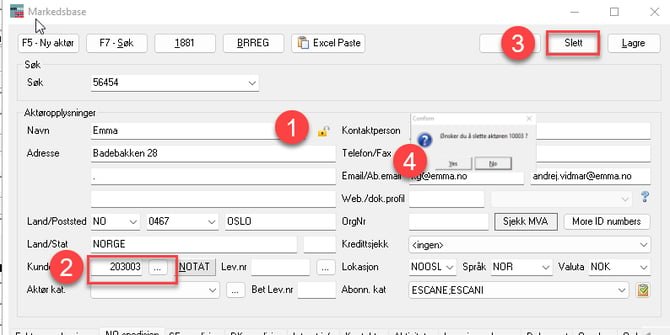
-
The customer is now removed from the Database.
English
.png?width=300&height=100&name=emma%20logo%20santa%20hat%20(4).png)