.png?width=300&height=100&name=emma%20logo%20santa%20hat%20(4).png)
Important: If the cause of an error is unclear, or if you need further clarification regarding a response from Digitoll, we recommend contacting Norwegian Customs (Tolletaten) for assistance.
Contact Norwegian Customs
Common error messages in Emma CMS:
ErrorMessage: EORI number is not valid
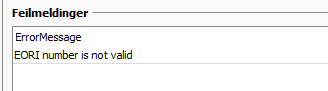
Norwegian Customs is unable to verify the EORI number. This may be due to:
- Use of a national organisation number - Norwegian Customs allows the use of a national organisation number, but it may be validated incorrectly in this case.
- Check the EORI validation - You can also verify the EORI number here: https://ec.europa.eu/
- Contact Norwegian Customs if the issue persists.
ErrorMessage: Another transport with the same identificationNumber and typeOfIdentification is already scheduled to arrive at the same or a similar time
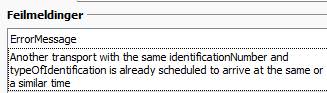
- There is already a submitted transport declaration with Norwegian Customs using the same vehicle and timestamp.
- The transport declaration may already have been submitted previously, possibly by another party.
- Submission error – the transport was reopened and resubmitted before Emma received a status (Success/Failure) from Norwegian Customs.
ErrorMessage: Cannot verify CUDE documentation
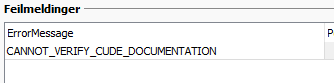
Norwegian Customs is unable to verify the customs clearance.
- Check that the customs clearance has the correct status in TVINN.
- If the data was entered manually, verify that the declarant, date, and sequence number are correct on the house consignment.

ErrorMesasge: Incomplete EXP / TRA Documentation
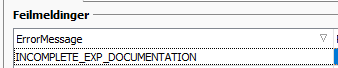
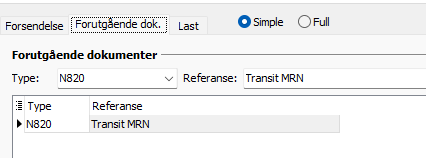
The MRN number or type code for the previous export is missing or incorrect.
- For export, use AES + MRN.
- For transit, use N820 + MRN.

Remember:
-
Reopen or delete the manifest to correct the information and resubmit it.
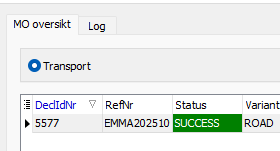
- In the MO overview, you can verify that the messages have been approved and linked correctly.
- By enabling Linked mode (koblet modus), you can check that the correct number of consignments is linked to the transport.

- The transport will also turn green when its status is Success and all linked manifests have a Success status.
ErrorMesasge: The transport-document lookup could not verify whether Toll.no received this consignment.

This message means that the system tried to check the transport document against Norwegian Customs’ system, but could not confirm that the consignment has been received or registered.
This can happen for several reasons:
-
The consignment has not yet been received or fully registered by Norwegian Customs
-
The reference or document number is incorrect
-
There is a temporary communication issue between the systems
If this message appears, review the reference details first and then check whether the consignment has had enough time to be registered in the customs system.