.png?width=300&height=100&name=emma%20logo%20santa%20hat%20(4).png)
Requirements: This functionality requires Emma version 408 or later.
If you are using an earlier version, please contact Emma Support to arrange an update.
You can use an MRN (Movement Reference Number) to link a Transport to a Master or House Consignment in Emma.
When a manifest is submitted to Norwegian Customs, an MRN is returned. This MRN can then be used to establish a relation between the relevant Transport and Consignment.
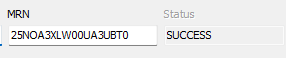
This can be used for both internal and external consignments, and the linking can be performed from either side:
- From a Transport to a House or Master Consignment
- From a House or Master Consignment to a Transport
Link a Consignment to a Transport:
Use this method when you have a Transport in Emma and want to link it to a House or Master Consignment using an MRN.

- Navigate to the MO overview.
- Highlight the relevant Transport.
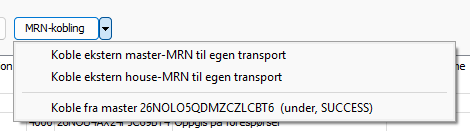
- Open the MRN drop-down menu.
- Select the option to link an external House Consignment or Master Consignment.
- Enter or select the relevant MRN and confirm the relation.
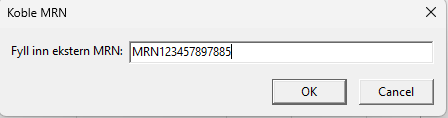
The Transport will now be linked to the Consignment registered against that MRN.
Link a Transport from a House or Master ConsignmentUse this method when you have a House or Master Consignment and want to link it to an existing/external Transport.
- Navigate to the relevant House Consignment or Master Consignment in the MO overview.
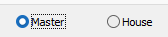
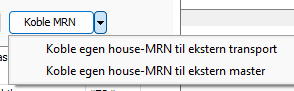
- Open the MRN drop-down menu.
- Select the option to link the Consignment to a Transport.
- Enter or select the relevant MRN and confirm the relation.
The Consignment will now be linked to the Transport registered against that MRN.
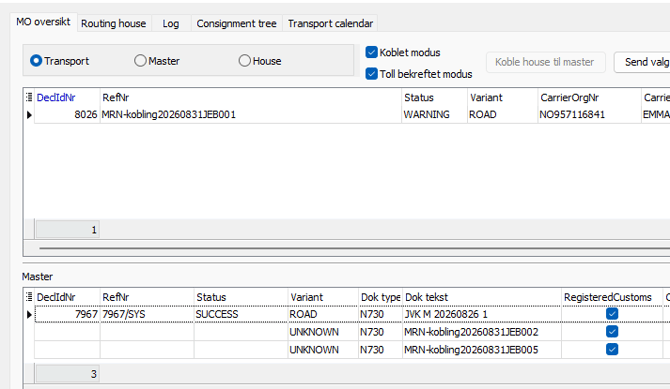
Check the Linked StatusFrom the Transport side, externally linked consignments can be viewed under the Toll bekreftet modus section.
Displayed with a reference number and a check mark indicating that it has been registered with Customs.
Unlink a Consignment:
To unlink a consignment, select it and navigate to MRN-kobling. Locate the connected MRN, then select Disconnect.