.png?width=300&height=100&name=emma%20logo%20santa%20hat%20(4).png)
Emma CMS allows users to register when the requested documents have been submitted. This makes it easier for others to check the status or take over the assignment.
Mark documents as submitted
- Select the relevant assignment in Tulltabell (F6).
- Open the Special menu.

- Set Handlingar skickade to Yes.
The Handlingar skickade column in the grid will change to Yes, making the status visible to other users.
Please note: This is a manual status only. Changing the status in Emma CMS does not upload or submit documents to Swedish Customs.
Change the status back to No
If the assignment was marked by mistake or before the documents were submitted:
- Select the assignment in the grid.
- Open the Special menu again.
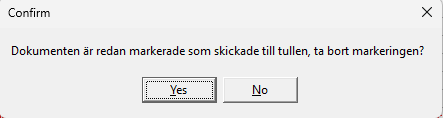
- Set Handlingar skickade to No.
The column in the grid will then change back to No.