.png?width=300&height=100&name=emma%20logo%20santa%20hat%20(4).png)
What is Random check in Emma Compliance?
By performing regular sample controls, you achieve:
- Improved quality in customs declarations
- Better control and overview
- Clear documentation that procedures are followed
The Random check module is particularly useful for businesses with AEO-C certification, as it supports requirements for internal control and traceability in the customs process.
Examples of what can be verified:
- Item lines and commodity codes
- Quantities and values
- Origin and documentation
- Correct use of customs procedures
Customs declarations must be both accurate and well documented. Even small errors can lead to delays, additional costs, and increased risk in customs handling.
With Random check, you can easily perform sample controls of selected declarations to ensure that the content is correct and complies with applicable requirements and procedures.
The Random check module is developed for:
- Businesses with AEO-C certification
- Businesses that want to establish or improve internal control routines
For AEO-C certified businesses, sample controls help:
- Ensure compliance with requirements
- Document internal control
- Maintain high quality in customs and goods flow processes
Regular controls provide assurance that procedures work as intended and that discrepancies are identified and handled at an early stage.
For businesses without certification, Random check provides a structured and practical starting point to:
- Gain insight into current practices
- Identify improvement areas
- Establish more robust and documented control processes
The goal is to improve quality, reduce risk, and strengthen internal control.
Getting started
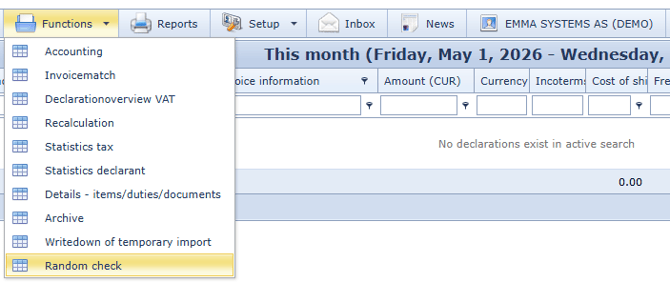
You can access Random check under Functions
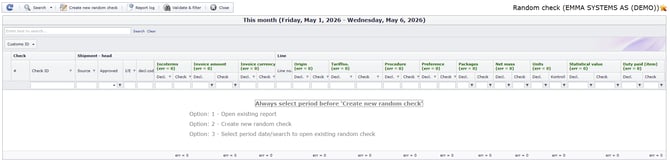
The Random check window opens
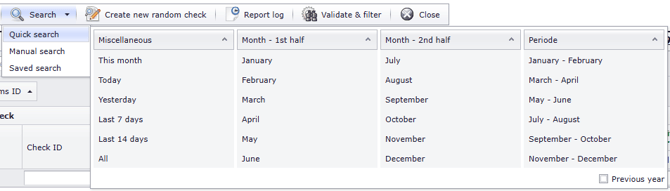
Create a new control in the module.
- Report name: Give the control a clear name, for example
“Internal control January 2026” - Select data basis and sample
Apply filters
To make the control more precise, you can filter by:
- Import / export
- Declarant (customs representative)
- Origin
- Tariff number
- Procedure
- Preference
- Value
- Duties and taxes
- Number of assignments
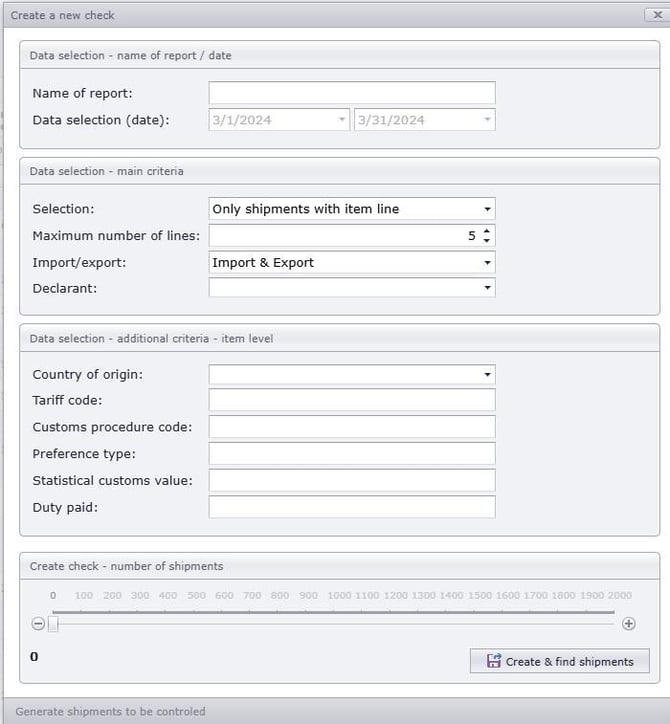
Then select which assignments to include:
- Only assignments with item lines
- Only assignments without item lines
- All assignments
- Maximum number of lines: Define how many lines to include in the sample
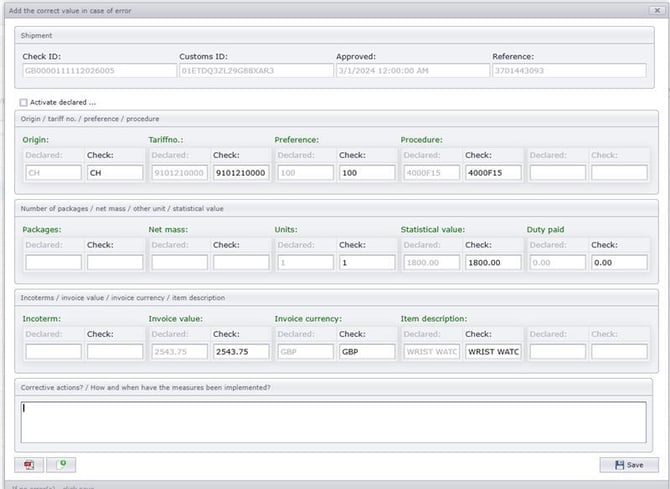
Perform the control
The solution displays declared data from the customs declaration, along with fields showing corresponding data.
If you register a different (correct) value, this will be recorded as a difference/discrepancy.
If discrepancies are identified, we recommend using Register discrepancy and sending a request for recalculation to your customs representative.
In principle, all errors must be corrected in accordance with customs regulations.
Export report
When all lines have been reviewed, you can export the control to an Excel report.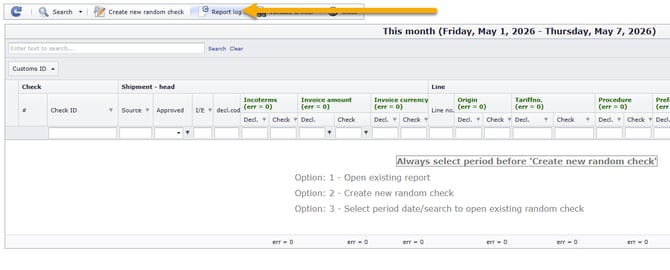
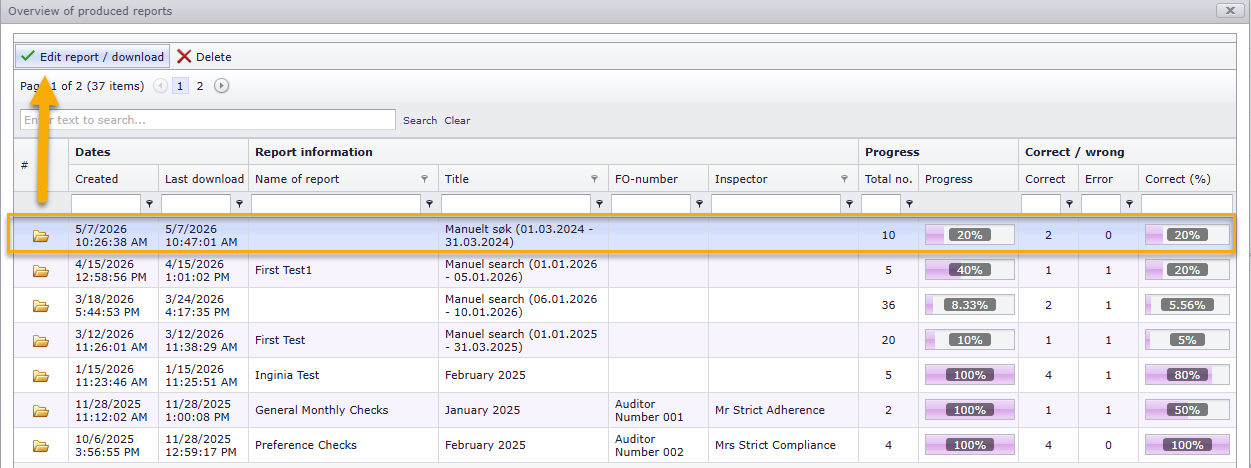
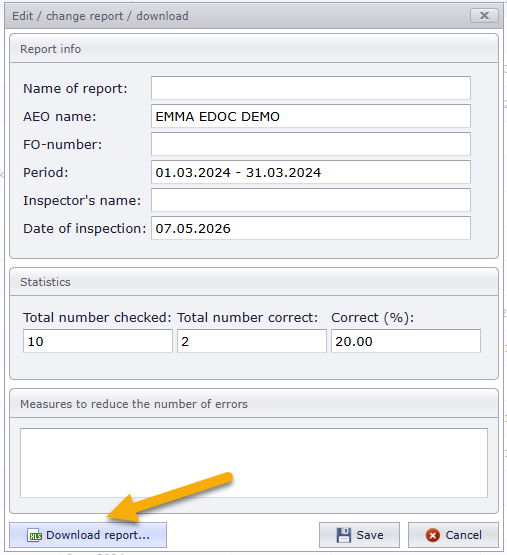
The report serves as documentation that internal control has been performed and shows:
- What has been reviewed
- Any errors identified
You can also document actions taken to prevent the same errors from occurring again.