.png?width=300&height=100&name=emma%20logo%20santa%20hat%20(4).png)
F6 table (this is also available in F7)
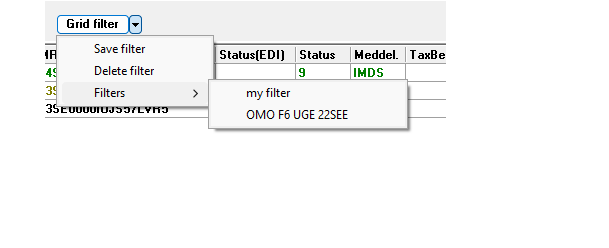
In F6 there is a grid filter box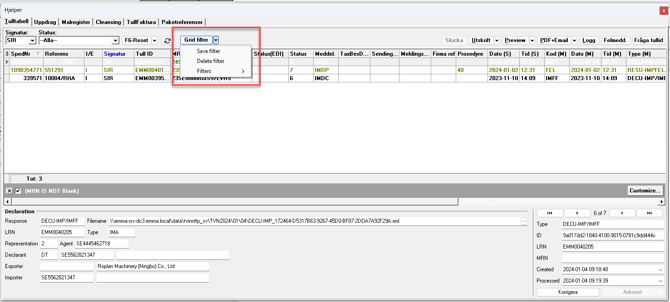
In the drop down menu you can save, delete or select saved filters.
To create e new filter:
- Select your search criteria from all the relevant collumns, i.e signatur and Meddel
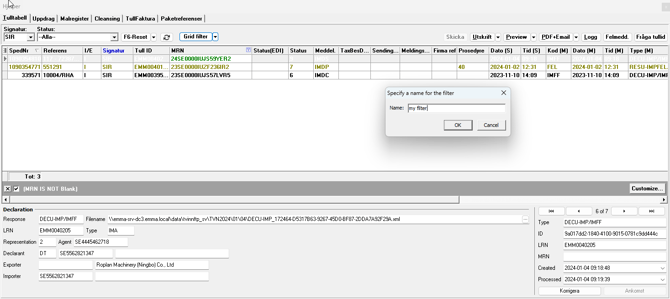
- Open the drop down menu and click save filter
- Name the filer
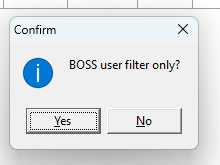
- Select if the filter should be only visable for BOSS user or not
You can create as many as you need, and you will find all your saved filters in the drop down menu for filters.
To update or delete a filter:
- Select the filter from the drop down menu
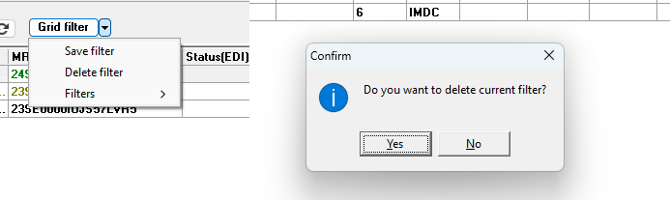
- To delete - click again in the drop down menu and select delete filter
- To update - update the search criteria as prefered, then click on the drop down menu and click save filter
When the column headers are highlighted in blue, it indicates that a search has already been performed. To reset your search, simply press F6 or F7.