.png?width=300&height=100&name=emma%20logo%20santa%20hat%20(4).png)
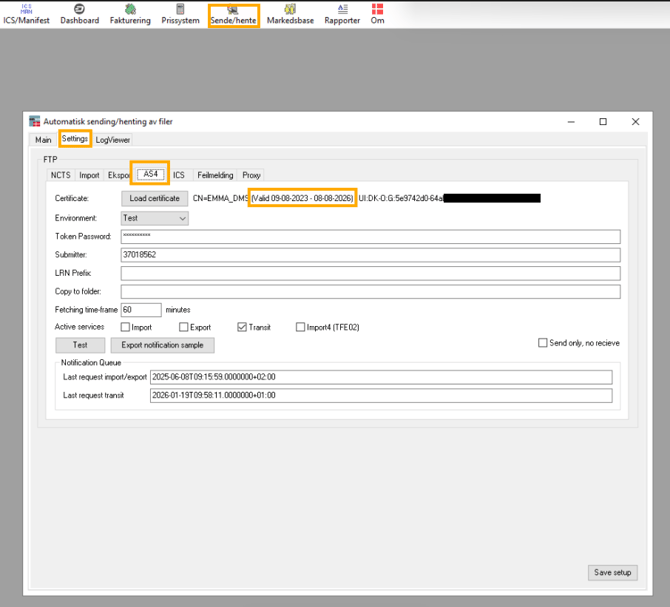
Check expiration date in Emma:
Renewal
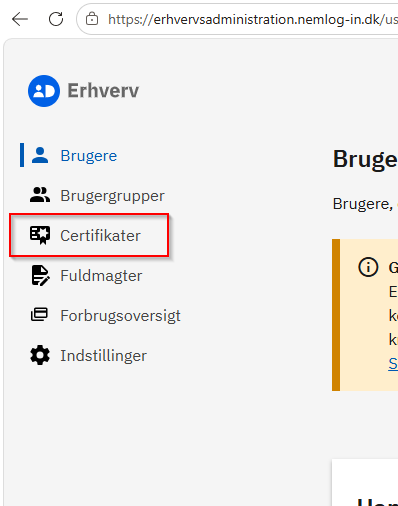
Go to MitID Erhverv and log in.
1. Go to here
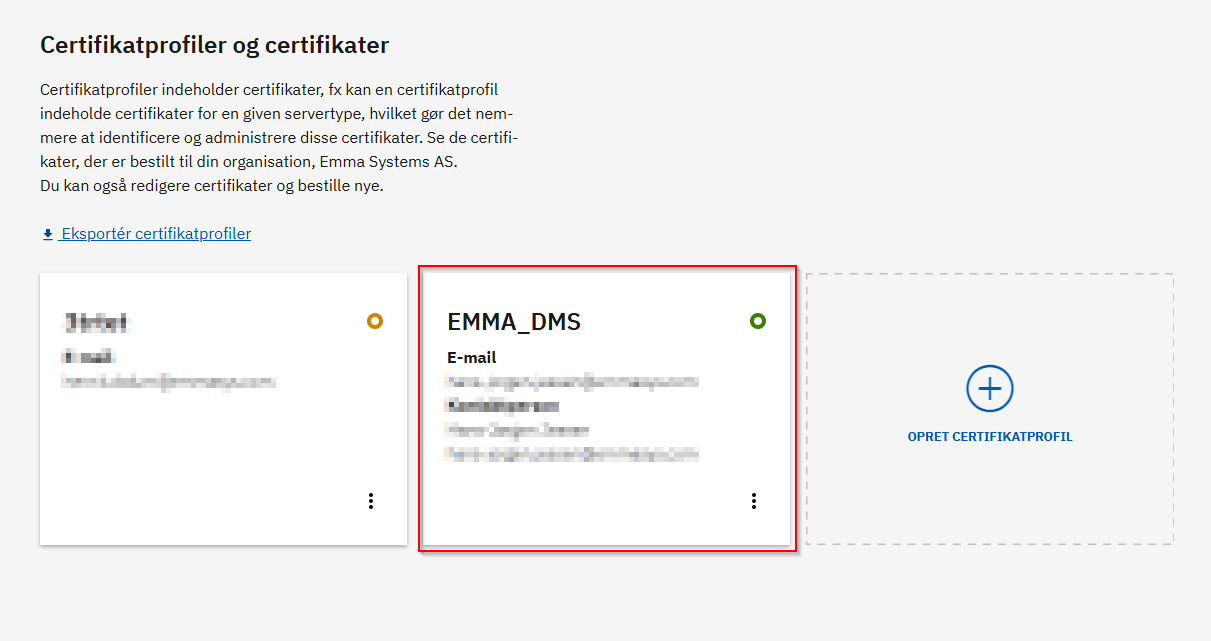
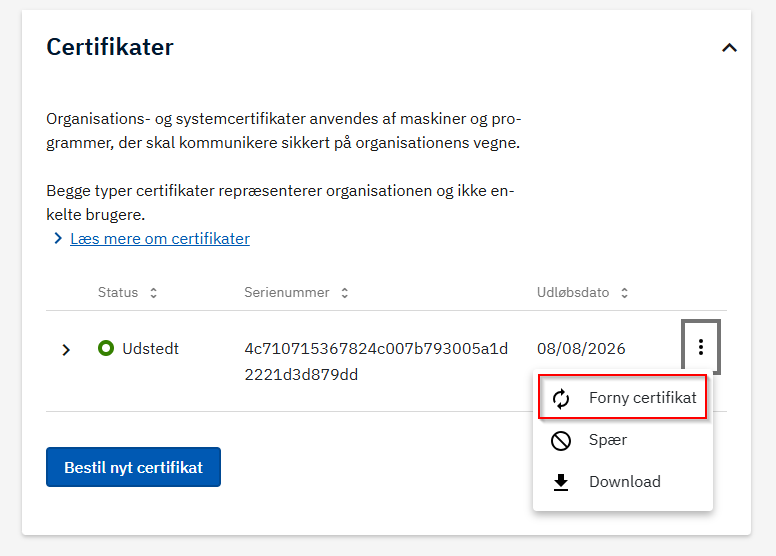
2. Find and renew the certificate, Locate your existing certificate in the list - click somewhere here on the certificate
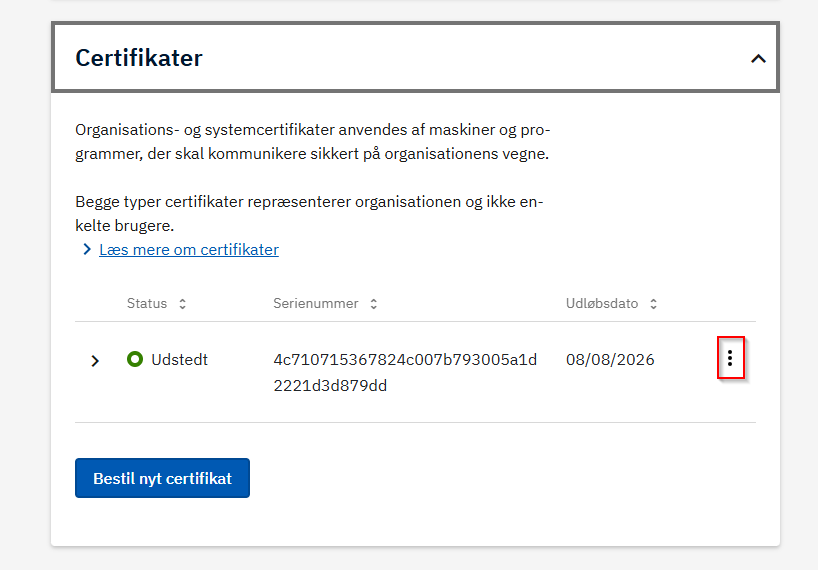
3. Click the three dots next to the certificate, Select “Renew certificate”
Confirm via email
- You will receive an email at the address specified in the certificate details
(“Email address in certificate” / “Email address of contact person”) - Click the link in the email to start the renewal
Complete the issuance
In some cases, the expected follow-up email is not received. If this happens:
- Go back to the MitID Erhverv portal
- Find the certificate with the status “under issuance”
- Click the three dots next to the certificate
- Select to complete the issuance
Download new certificate
- Download the new certificate in .p12 format
- Note the associated new password
Important
Emma must be provided with:
- The new .p12 certificate
- The new password for the certificate
This information is required to activate it in Emma.