.png?width=300&height=100&name=emma%20logo%20santa%20hat%20(4).png)
Select Tools → New Procedure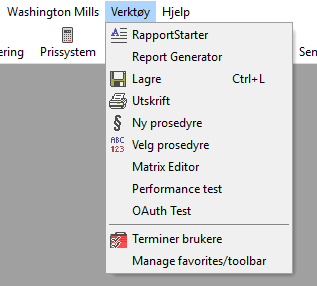
Fill in the name and number, then select the department.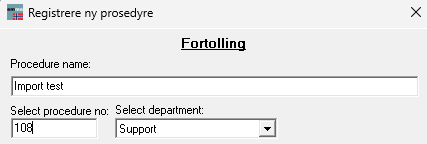
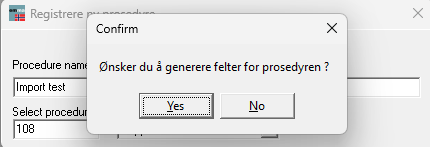
Close the window. You will then be asked to generate fields for the procedure.
Click Yes.
Go back to Custom Clearance and choose procedure.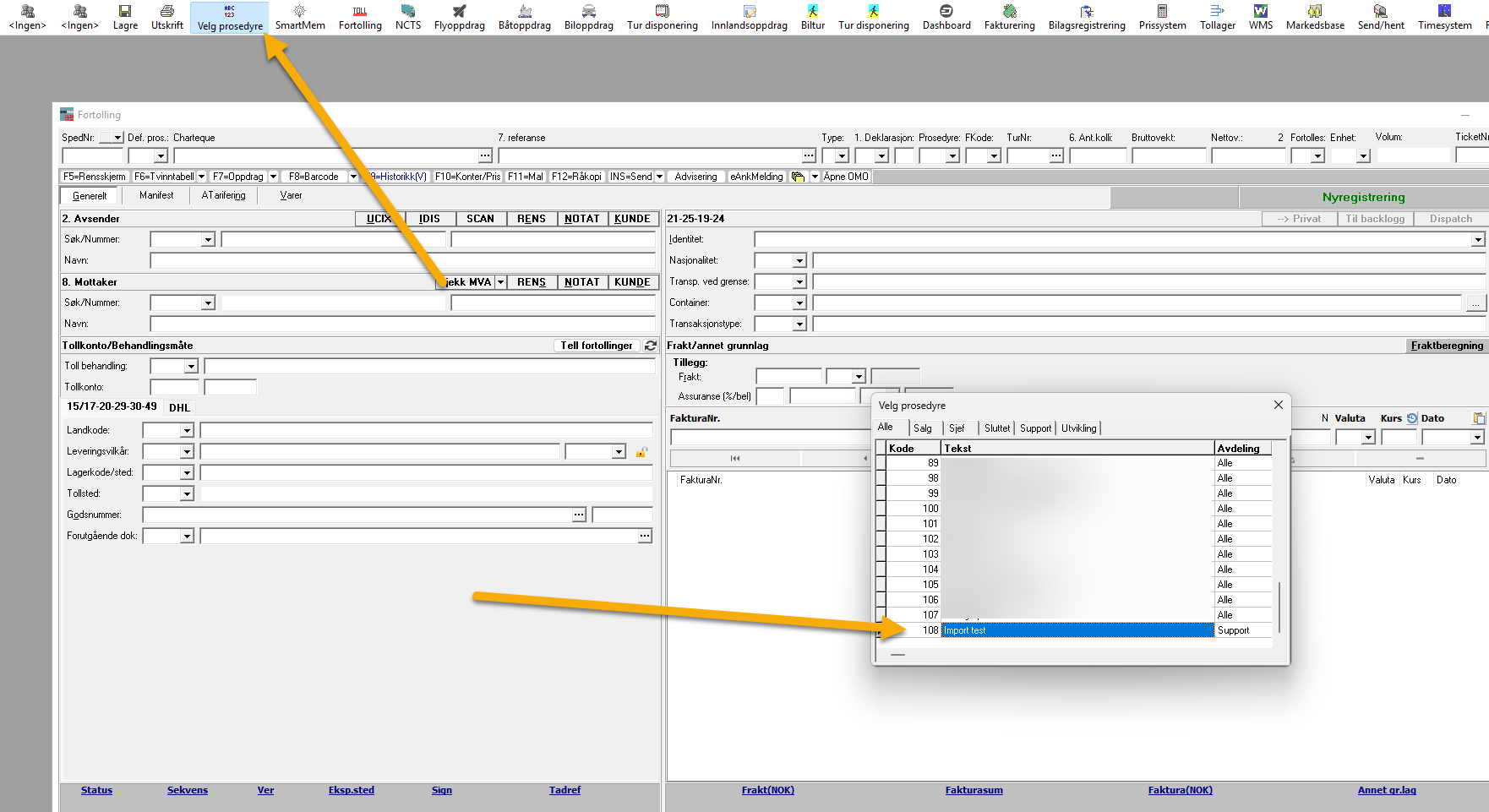
Double click the procedure. Now you're ready to create the default values for this procedure.
Choose the field you want to create a default value. 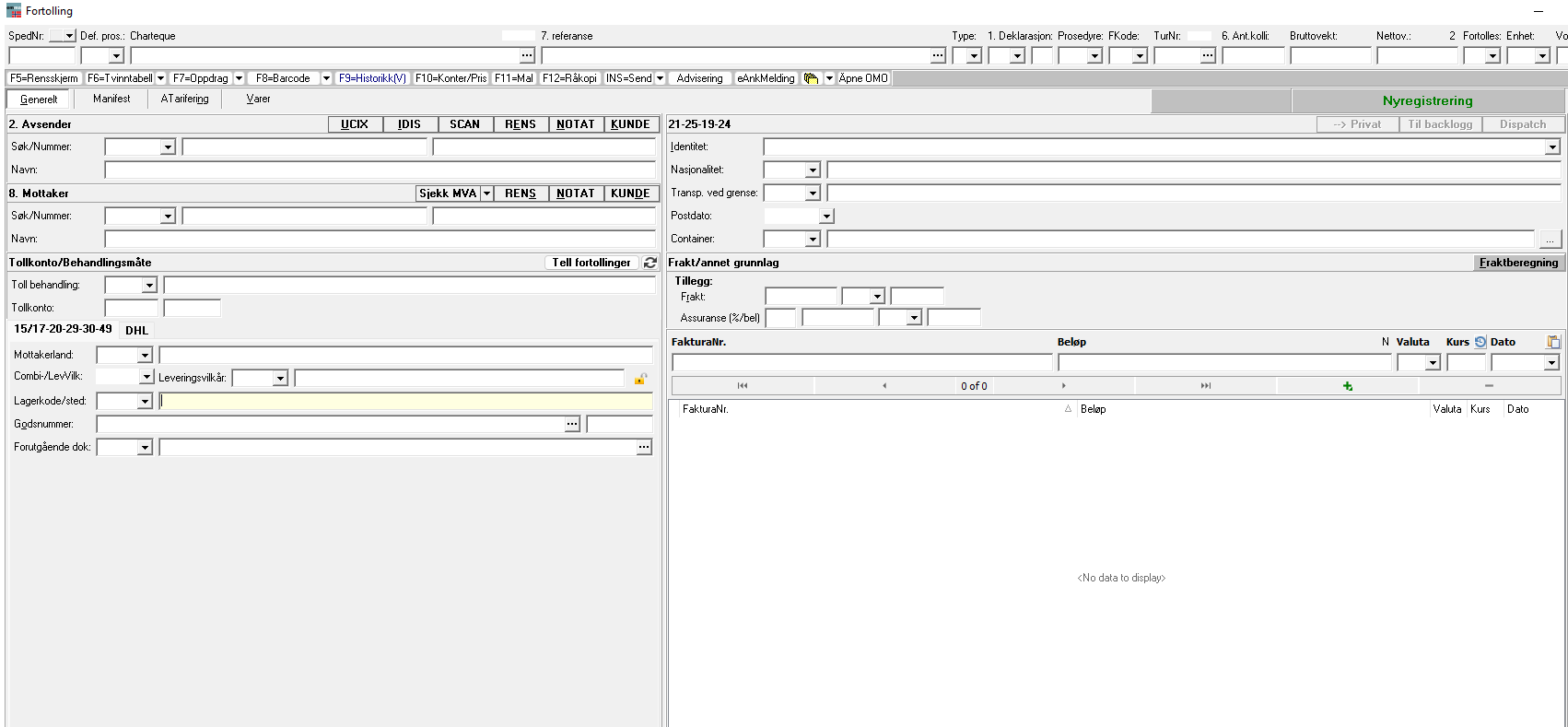
Press CTRL + ALT + F2 and fill out your default value.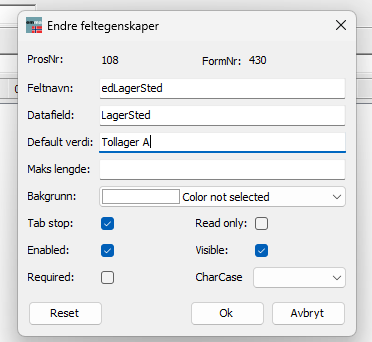
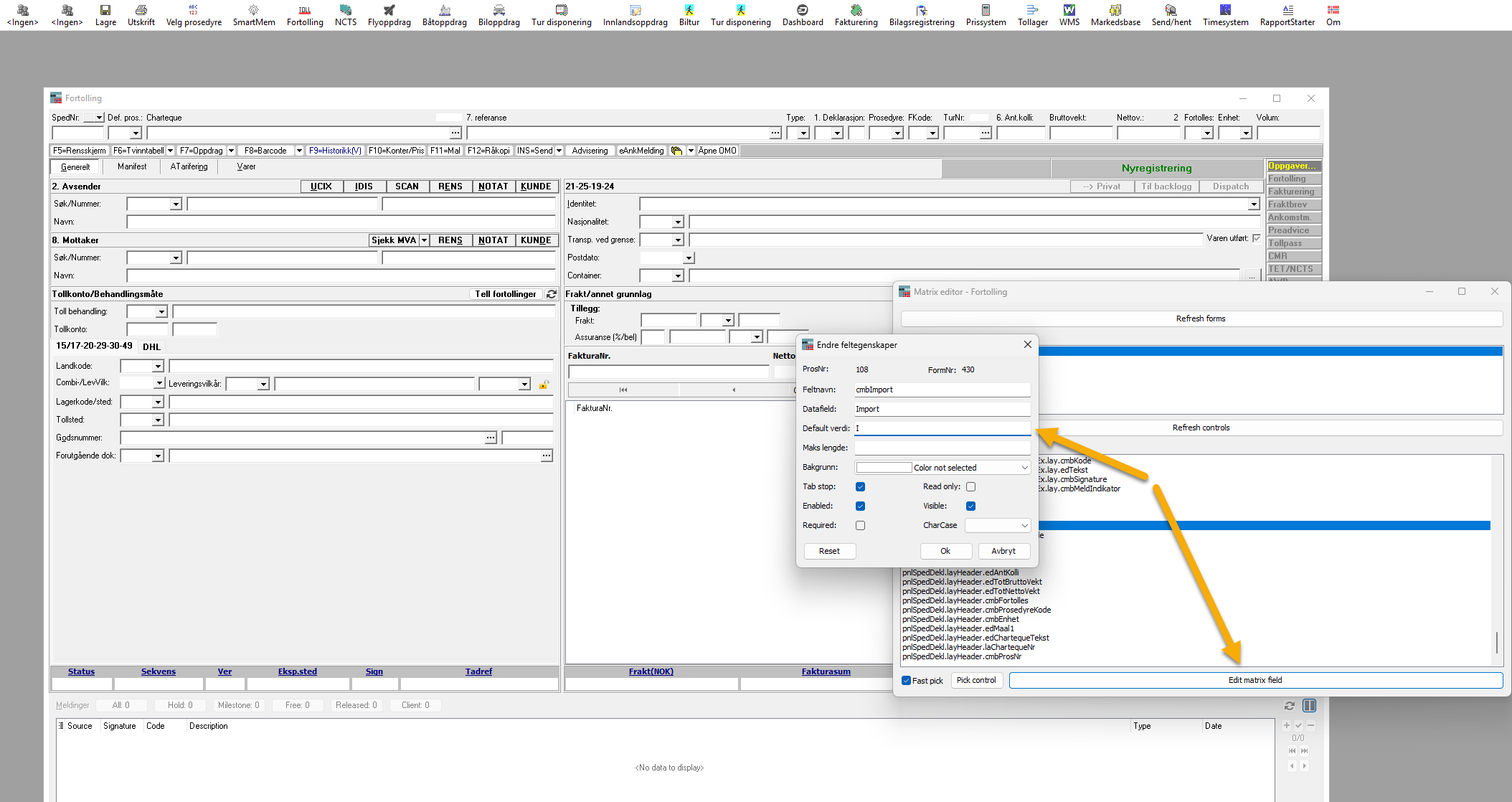
Another way to create your default values is in the Matrix Editor, under tools. It's important to open Customs Clearance first and choose the correct procedure.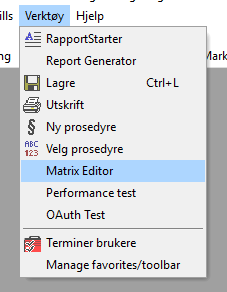
Find the correct field you want to add default value:
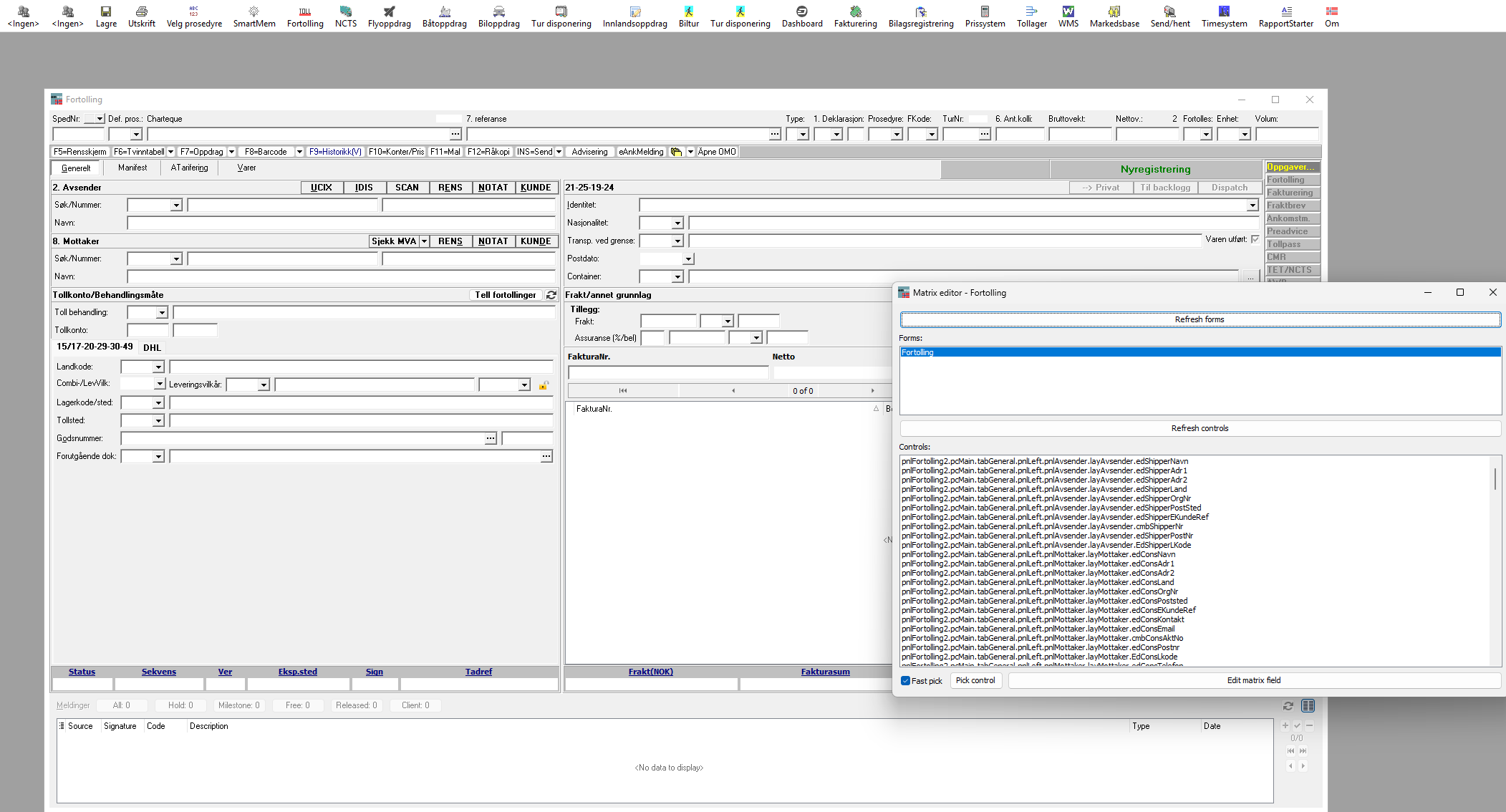
Edit matrix field: