.png?width=300&height=100&name=emma%20logo%20santa%20hat%20(4).png)
If a declaration or supplementary document needs to be added manually:
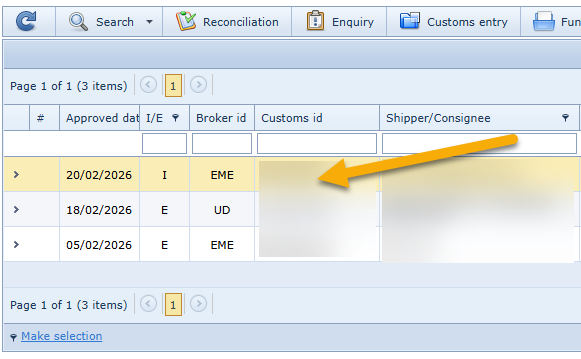
- Search for the declaration by entering the customs declaration number in the main view in Emma Compliance (applies to countries and periods that have been reconciled against customs statistics).
- Double-click the declaration row.
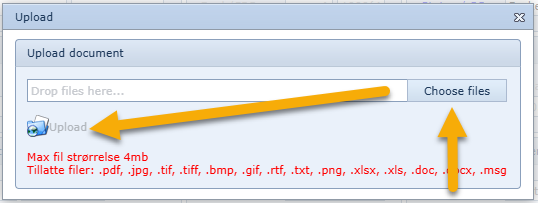
- Select Upload and upload the relevant PDF file (declaration or supplementary document).
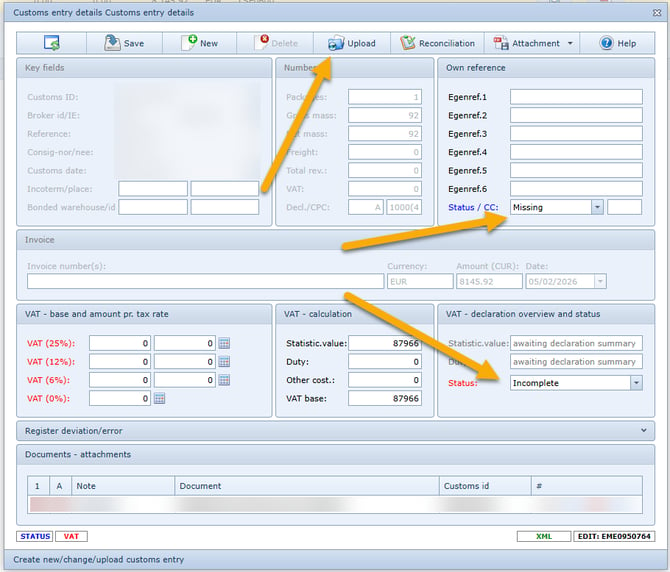
- Add any required or relevant information, such as the invoice number.
- Set the status to “Manually OK” to remove the declaration from the list of missing
declarations.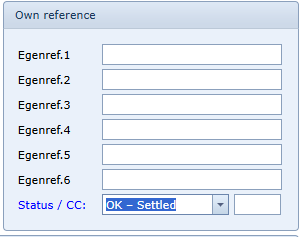
- Save.